
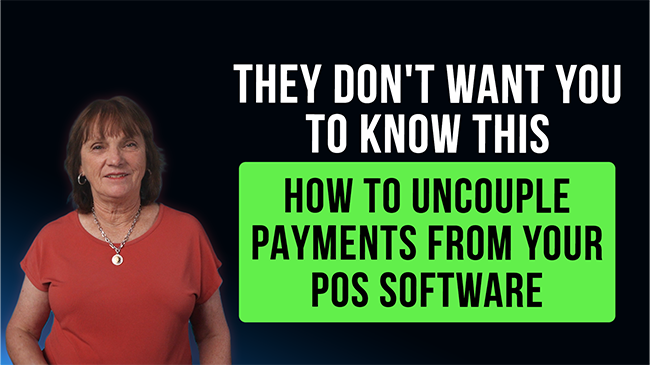
If you’re running your business on a POS system that “comes with” its own payment processing, there’s a good chance you’ve felt it… those rates creeping up, support getting slower, and the sinking feeling that you’re stuck.
You’re not alone—and more importantly, you’re not as locked in as you think.
Let’s talk about what’s really going on, and how to fix it.
A lot of software companies bundle payment processing into their POS platforms. On the surface, it sounds convenient: one provider, one bill, one system.
But here’s the reality most merchants discover after signing:
You don’t control your rates
You don’t have flexibility to shop pricing
Service is often outsourced or hard to reach
You’re “captive” to their ecosystem
And once you’re in, they make it feel like leaving their processing means breaking your entire POS.
That’s simply not true.
What “Uncoupling Payments” Really Means
Uncoupling payments means you keep the POS software you already know and rely on—but you switch out the payment processing to a better provider.
You’re not replacing your system.
You’re upgrading the part that actually costs you extra money every single day.
Think about it like this: your POS is your operating system, but your payment processor is your expense line. And that’s the part you should absolutely have control over.
Why Merchants Are Making the Switch
When merchants uncouple their payments from their POS, three big things usually happen:
- They lower their processing costs
- They get better, more responsive service
- They gain transparency and control
Instead of being stuck with “whatever the software company says,” you now have a partner who works for you—not the other way around.
And in many cases, the savings alone justify making the change.
“But Won’t That Make My Checkout Complicated?”
This is the biggest misconception—and honestly, it’s what keeps a lot of business owners stuck.
The truth is, running payments separately from your POS is incredibly simple once you understand the flow.
Here’s how it works in real life:
When a customer pays with a credit card, instead of processing it inside your POS software, you run the transaction on a standalone terminal.
Inside your POS, you still ring up the sale exactly the same way. The only difference is how you categorize the payment—you mark it as “Other” (or “External Payment,” depending on your system).
That’s it.
At the End of the Day: Reconciliation Is Simple
At closing time, you’re already doing your normal daily reconciliation. This doesn’t complicate that—it just adds one very easy step.
Here’s the process:
- Pull your POS report and look at total sales marked as “Other”
- Pull your credit card terminal batch report
- Compare the two numbers
They should match.
That’s your verification that everything processed correctly.
No complex integrations.
No messy workarounds.
No guessing.
Just a clean, simple check that takes a couple of minutes.
Why This Matters More Than Ever
Margins are tighter than ever right now. Every percentage point you’re overpaying in processing is money straight out of your pocket.
And when you’re stuck in a bundled system, you’re often paying more than you should—with fewer options to improve it.
Uncoupling gives that control back to you.
You don’t have to sacrifice the software you like.
You don’t have to retrain your staff.
You don’t have to disrupt your operations.
You just stop overpaying.
Final Thoughts
If you feel like your POS provider has you boxed in on payments, it’s worth taking a second look—because you probably have more flexibility than they’ve led you to believe.
Uncoupling payments isn’t complicated. It’s not disruptive. And for most merchants, it’s one of the fastest ways to reduce expenses and improve service without changing how they run their business day-to-day.
If you want to see what this could look like for your specific setup, or how much you could realistically save, that’s a conversation worth having.
Call me, Gingergaye, president of Electronic Money Company, at 505-296-2847 for an honest comparison on rates and fees.
Because at the end of the day, your POS should help you run your business—not control it.
Stay up to date with our latest videos and merchant services tips, make sure to subscribe to our YouTube channel by clicking the link here: https://bit.ly/EMC_YouTubeSubscribe
Other topics you might be interested in: Avoid Costly Mistakes: Download our free report, 5 Mistakes to Avoid When Choosing a Credit Card Processor